

2-eye Principle
The diagram below illustrates the flow of batch payouts when a single merchant user initiates it to transfer funds.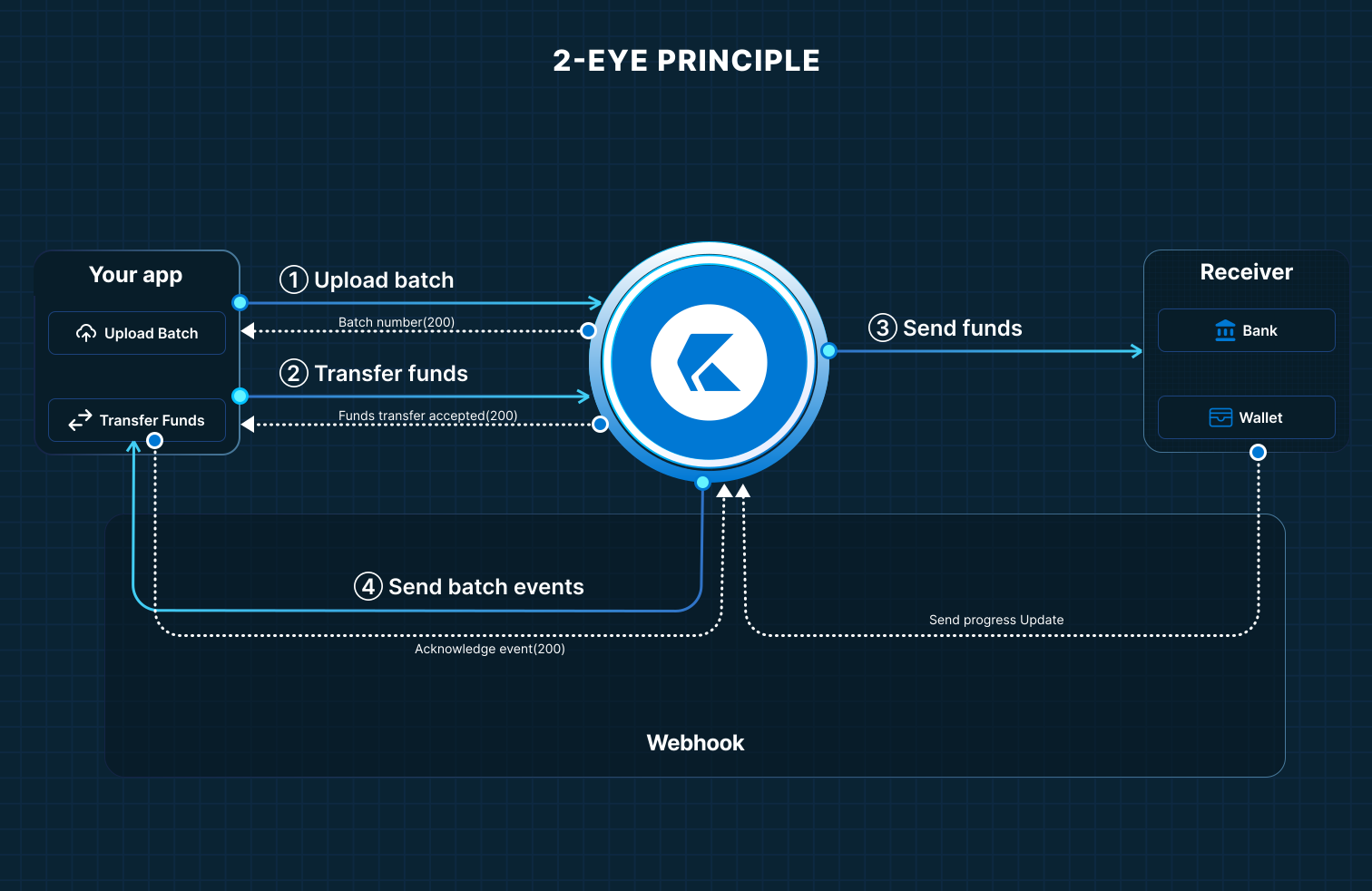
- The merchant user uploads a batch either using a file (Microsoft Excel or CSV) or JSON payload containing beneficiary transactions.
-
OneKhusa platform receives the request and responds with
200-OKthat the batch is queued for further processing. If you have configured webhooks, your system will receivebatch.receivedorbatch.failedpayload notification based on the processing outcome. - When the batch is received successfully, call the transfer funds API endpoint to start paying out to beneficiaries.
-
To avoid throttling your system once the transactions are processed, OneKhusa will send
batch.payout.successpayload containing up to 10 successful transactions orbatch.payout.failedpayload containing up to 10 failed transactions. This will continue until the last set of transactions are sent to your system.
4-eye Principle
The diagram below illustrates the flow of batch payouts for Initiator + Approver workflow.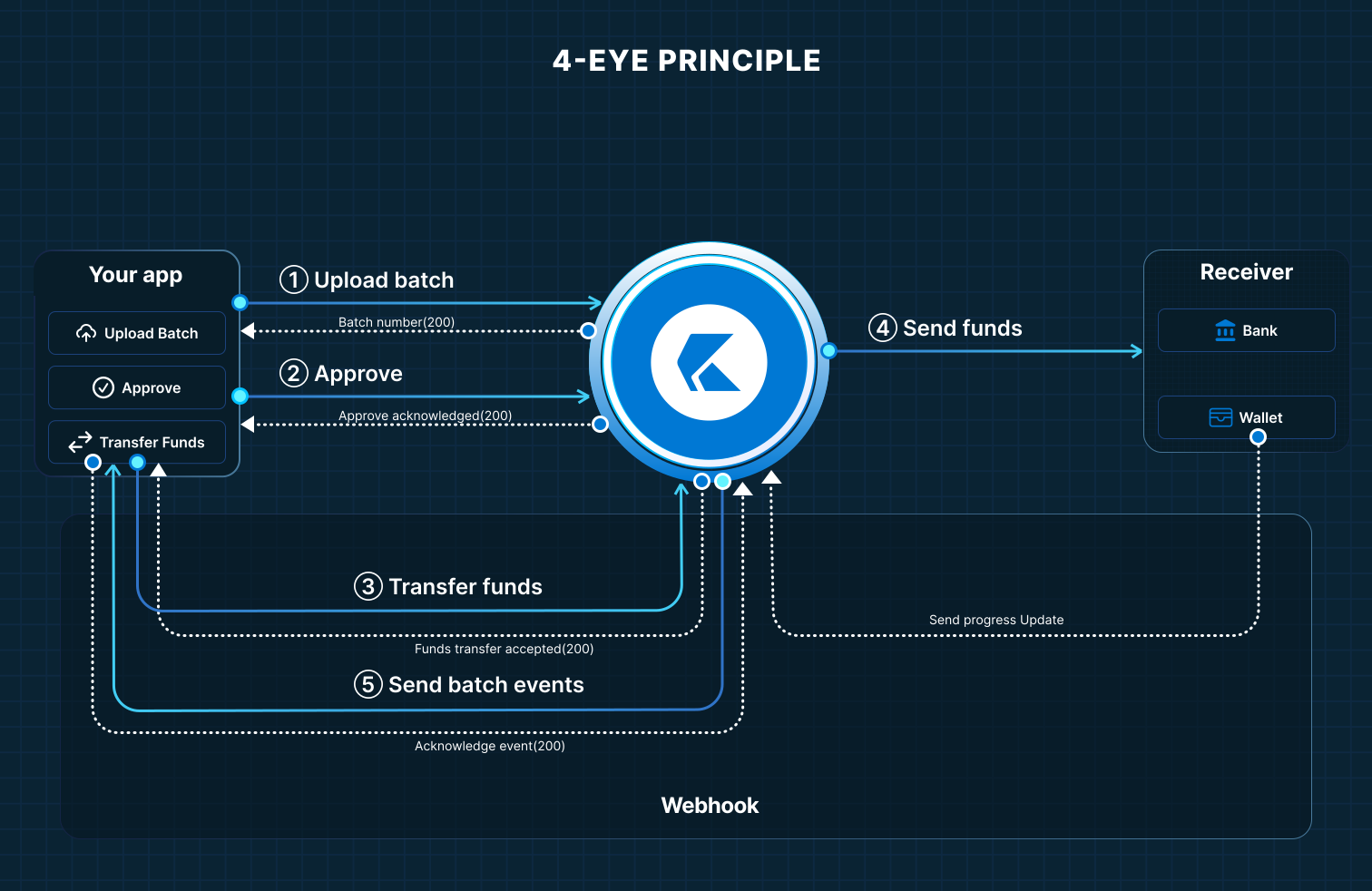
- The first merchant user uploads a batch either using a file (Microsoft Excel or CSV) or JSON payload containing beneficiary transactions.
-
OneKhusa platform receives the request and responds with
200-OKthat the batch is queued for further processing. If you have configured webhooks, your system will receivebatch.receivedorbatch.failedpayload notification based on the processing outcome. - When the batch is received successfully, the second merchant user approves by calling the approve batch API endpoint to start paying out to beneficiaries.
-
To avoid throttling your system once the transactions are processed, OneKhusa will send
batch.payout.successpayload containing up to 10 successful transactions orbatch.payout.failedpayload containing up to 10 failed transactions. This will continue until the last set of transactions are sent to your system.
6-eye Principle
The diagram below illustrates the flow of batch payouts for Initiator + Reviewer + Approver workflow.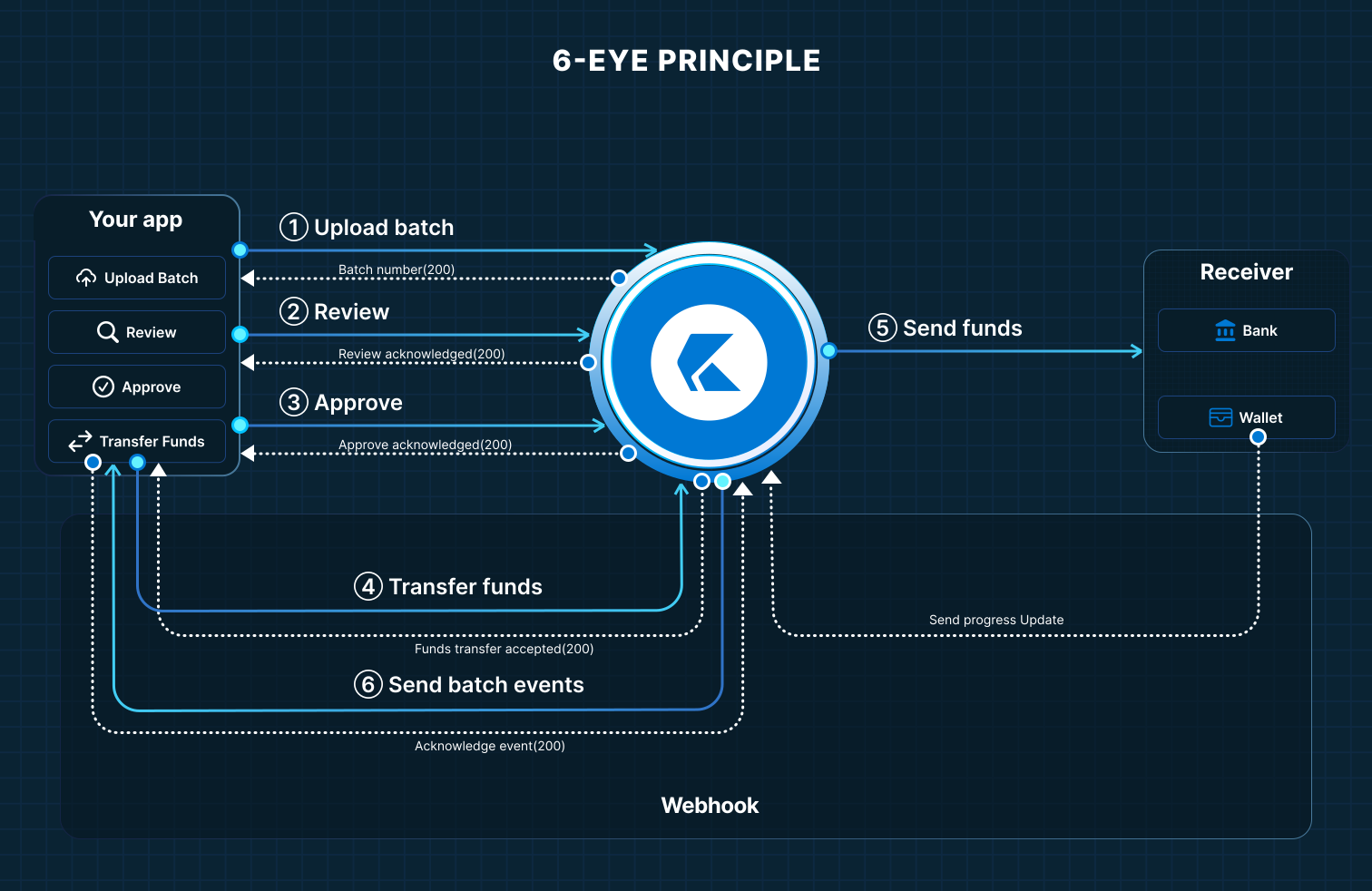
- The first merchant user uploads a batch either using a file (Microsoft Excel or CSV) or JSON payload containing beneficiary transactions.
-
OneKhusa platform receives the request and responds with
200-OKthat the batch is queued for further processing. If you have configured webhooks, your system will receivebatch.receivedorbatch.failedpayload notification based on the processing outcome. - When the batch is received successfully, the second merchant user marks the batch as reviewed by calling the review batch API endpoint pending for final approval.
- After batch reviewal, the third merchant user approves by calling the approve batch API endpoint to start paying out to beneficiaries.
-
To avoid throttling your system once the transactions are processed, OneKhusa will send
batch.payout.successpayload containing up to 10 successful transactions orbatch.payout.failedpayload containing up to 10 failed transactions. This will continue until the last set of transactions are sent to your system.